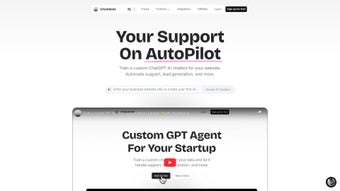

Download ChatbotGPT – No‑Code AI Chatbot Builder for Business
Overview
ChatbotGPT is a cloud‑based, no‑code web application that empowers businesses of any size to create custom AI chatbots using their own data. Built on the powerful GPT‑4 engine, the platform lets you train a virtual assistant without writing a single line of code, which dramatically reduces development costs and shortens time‑to‑value. Whether you need to automate customer support, streamline employee onboarding, provide instant answers from internal documents, or simply make a knowledge base searchable through conversation, ChatbotGPT delivers a secure, scalable solution that works around the clock.
The tool supports more than 100 languages, stores all data on AWS servers located in Europe, and offers granular control over chatbot personality, prompt engineering, and naming conventions. Because it runs entirely in the browser, you can launch a chatbot in minutes and embed it on any website with a simple script tag. For small teams and large enterprises alike, ChatbotGPT simplifies the complex world of AI, turning it into an everyday productivity asset that can be managed by marketing, HR, or IT staff without needing a dedicated developer.
Its GDPR‑compliant hosting, built‑in analytics, and flexible pricing tiers make it a trustworthy choice for companies that care about data privacy, performance, and cost predictability.
Key Features & Personalization
- Drag‑and‑drop interface – build bots without any programming knowledge.
- Custom data ingestion – upload PDFs, CSVs, or connect to APIs to feed the bot with proprietary knowledge.
- Multi‑language support – 100+ languages for global customer reach.
- 24/7 automated FAQ handling – reduces support tickets and speeds up response times.
- Prompt editor – fine‑tune the bot’s tone, personality, and response style.
- Secure AWS Europe hosting – complies with GDPR and data‑privacy regulations.
- One‑click website integration – embed via a short JavaScript snippet.
- Document summarization – ask the bot to condense long reports or contracts.
- Analytics dashboard – monitor usage, satisfaction scores, and conversion metrics.
- Scalable pricing – free tier for testing, paid plans for enterprise workloads.
The feature set is designed to cover the entire chatbot lifecycle, from data preparation to post‑launch monitoring. The drag‑and‑drop canvas makes it possible for a non‑technical marketer to define conversation flows, add quick‑reply buttons, and set conditional logic without touching code. The custom data ingestion engine automatically extracts text, creates vector embeddings, and indexes content so the bot can retrieve information in milliseconds, even from large PDF manuals or multi‑megabyte CSV files.
Multi‑language support means you can serve a worldwide audience from a single instance, automatically switching responses based on the visitor’s browser language or a user‑selected preference. The prompt editor is especially valuable for branding teams, allowing you to give the bot a voice that matches your corporate style—whether formal, friendly, or witty. Real‑time analytics provide heatmaps of the most asked questions, sentiment scores, and conversion tracking, helping you identify knowledge gaps and improve the bot iteratively.
Because every response is powered by GPT‑4, the bot can handle nuanced, context‑aware queries that rule‑based systems miss, delivering a conversational experience that feels genuinely human.
Installation, Usage & Compatibility
Getting started with ChatbotGPT is deliberately frictionless. After you sign up at chatbotgpt.com, you are taken to a clean dashboard where you can create a new bot with a single click. The wizard walks you through naming the bot, selecting a base personality, and uploading your first data source.
Supported file types include PDF, DOCX, TXT, CSV, and direct URL imports. Once the data is processed—typically within a few minutes—the platform automatically builds the knowledge index and presents a preview chat window where you can test the bot’s answers in real time. When you’re satisfied, click “Generate embed code,” copy the short JavaScript snippet, and paste it into the or of any website—no server configuration required.
The snippet loads asynchronously, ensuring that page load speeds remain optimal and that the chatbot does not block other resources.
Operating System Compatibility:
- Windows 10/11 – web browser access (Chrome, Edge, Firefox).
- macOS Monterey and later – full functionality via Safari or Chrome.
- Linux distributions – any modern browser is supported.
- Android 8.0+ – mobile‑optimized dashboard.
- iOS 13+ – responsive design for iPhone and iPad.
Because ChatbotGPT is a SaaS platform, there is no software to install locally. All processing happens in the cloud, ensuring that updates—including the latest GPT‑4 improvements—are applied automatically without user intervention. Security‑focused teams will appreciate the option to enforce IP‑based access controls, enable two‑factor authentication for admin accounts, and define role‑based permissions for collaborators. After deployment, you can monitor performance from the dashboard, update the knowledge base on the fly, and adjust the bot’s personality at any time—making it a living component of your digital strategy. The platform also offers webhook integrations, allowing you to push conversation events to CRM, ticketing, or analytics tools, which further extends the bot’s usefulness beyond simple Q&A.
Pros & Cons
Pros
- Zero‑code setup – anyone can build a bot in minutes.
- GPT‑4 powered – delivers human‑like, context‑aware responses.
- Robust data ingestion – supports many file formats and live URLs.
- European AWS hosting – strong GDPR compliance.
- Multi‑language capability – perfect for global audiences.
- Real‑time analytics – helps continuously improve the bot.
- Responsive dashboard – manage bots from desktop or mobile browsers.
- Scalable pricing – free tier for testing, enterprise plans for large volumes.
Cons
- Dependence on internet connectivity – offline use is not available.
- Advanced prompt tuning may require a learning curve for non‑technical users.
- Pricing for high‑volume usage can increase quickly, especially when exceeding free quotas.
- Limited native integrations – most third‑party connections rely on webhooks.
- Customization of the UI widget is basic; deep branding may require custom CSS.
Overall, the advantages of ChatbotGPT outweigh the drawbacks for most businesses that need a fast, secure, and multilingual AI assistant. The platform’s no‑code philosophy eliminates the need for in‑house AI expertise, while the underlying GPT‑4 engine ensures that responses remain sophisticated and relevant. Organizations with strict offline requirements or highly specialized UI branding should evaluate the cons carefully, but for the majority of use cases—customer support, internal knowledge bases, and lead qualification—the pros provide a compelling value proposition.
FAQ & Conclusion
Frequently Asked Questions
Can I use my own OpenAI API key?
Yes. In the account settings you can switch from the default ChatbotGPT key to a personal OpenAI API key, giving you control over usage limits and billing.
How secure is my uploaded data?
All data is encrypted at rest and in transit, stored on AWS servers located in the EU. Access is restricted to your organization’s accounts only.
Do I need a credit card to start the free trial?
No. You can sign up for a completely free tier that includes one chatbot, limited data uploads, and basic analytics. A credit card is only required for paid plans.
Can the bot handle confidential internal documents?
Yes. The European AWS infrastructure complies with GDPR and ISO 27001, making it suitable for handling sensitive corporate information.
Is there a mobile app for managing bots on the go?
ChatbotGPT is fully responsive, so you can manage bots, edit prompts, and view analytics from any modern smartphone browser without a dedicated app.
Conclusion & Call to Action
In a market flooded with complex AI platforms, ChatbotGPT stands out by delivering a genuinely no‑code experience backed by the state‑of‑the‑art GPT‑4 model. Its blend of secure data handling, multilingual support, and straightforward website integration makes it an excellent choice for businesses looking to automate support, accelerate onboarding, or simply make internal knowledge instantly searchable. While the reliance on an internet connection and potential cost escalation at scale are worth noting, the productivity gains and customer‑satisfaction improvements typically outweigh these concerns. If you’re ready to empower your team with a custom AI assistant without hiring developers, sign up for a free account today and launch your first chatbot in under ten minutes.



.png)



